
Download DiverLog Lite – free dive log software for Mac
Overview
DiverLog Lite is a lightweight, free dive‑logging program created by Pelagic Pressure Systems exclusively for macOS users. Positioned in the Education & Reference category under Science, this tool helps recreational and professional divers keep an accurate record of their underwater adventures. Since its addition to our catalog in 2016, DiverLog Lite has seen modest adoption, reflecting its niche focus on Mac‑only environments.
The current version, 1.2.7, was last updated on January 4 2017, ensuring compatibility with macOS X and earlier releases. Although the exact install size isn’t disclosed, the program’s modest footprint makes it an ideal companion for divers who value a simple, secure, and offline‑first solution. Whether you’re tracking depth, bottom time, gas mixes, or dive locations, DiverLog Lite offers a clean interface that integrates seamlessly with the macOS ecosystem, supporting English language users out of the box.
This review explores the core features, installation steps, system compatibility, and real‑world pros and cons, helping you decide if DiverLog Lite fits your diving logbook needs.
Key Features and Benefits
- Simple Dive Entry Forms: Intuitive fields for date, location, depth, duration, and gas composition.
- Automatic Calculations: Built‑in algorithms compute total bottom time, ascent rate, and surface interval.
- Customizable Tags: Add personal notes, tags, and photos to each dive entry for richer documentation.
- Export Options: Export logs as CSV or PDF for sharing with dive clubs or personal archives.
- Mac‑Native Design: Full integration with macOS menu bar, dark mode support, and native file handling.
- Data Security: Local storage only—no cloud sync, ensuring your dive data remains private.
- Free License: No hidden fees, registration, or subscription required.
The feature set, while intentionally streamlined, hits the essential needs of most divers. The interface avoids clutter, focusing on the core data points that matter most after a dive. Because the program stores data locally, there’s no risk of third‑party data breaches—a notable advantage for users wary of cloud‑based logging services.
Export functionality means you can still share your logs with trainers, certification agencies, or fellow dive buddies without needing to grant them direct access to the application. Additionally, the inclusion of custom tags and photo attachments lets you personalize each entry, turning a simple spreadsheet into a vivid underwater journal. For Mac users who appreciate native design principles, DiverLog Lite respects macOS conventions, from keyboard shortcuts to the use of system fonts, delivering a cohesive user experience that feels like a natural extension of the operating system.
Installation, Usage & Compatibility
Getting DiverLog Lite up and running on a Mac is straightforward, even for users with limited technical expertise. Follow these steps:
- Visit the official Pelagic Pressure Systems download page and click the “Download DiverLog Lite for macOS” button.
- The DMG file will appear in your Downloads folder. Double‑click to mount the disk image.
- Drag the DiverLog Lite icon into the Applications folder shortcut displayed in the installer window.
- Eject the mounted disk image and locate the app in Applications. Double‑click to launch.
- On first launch, macOS may warn that the app is from an unidentified developer. Open System Settings → Privacy & Security**, click “Open Anyway” to bypass the gatekeeper.
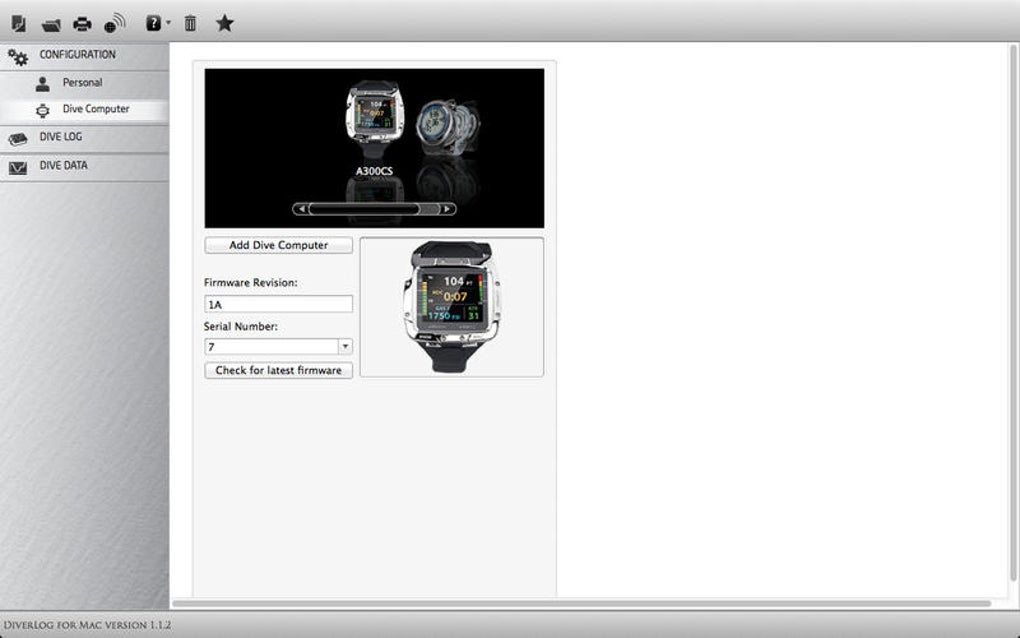
Once installed, the main window presents a clean form for entering dive details. Use the “+ New Dive” button to start a fresh entry, fill out the required fields, and click “Save.” All records are automatically stored in a local SQLite database within the app’s sandboxed container, ensuring quick retrieval and minimal performance impact.
DiverLog Lite is compatible with macOS X and earlier versions, specifically supporting 10.6 (Snow Leopard) through macOS 10.12 (Sierra). Users on newer macOS releases may still run the app, though they should verify that system security settings allow legacy 32‑bit applications. The software runs natively on Intel‑based Macs; Apple Silicon (M1/M2) users can operate the program via Rosetta 2 translation, which typically incurs no noticeable slowdown for this lightweight tool.
Regular updates are infrequent— the last patch arrived in 2017—but the application remains functional on supported OS releases. For those seeking a free, offline‑first dive log solution on a Mac, DiverLog Lite offers a hassle‑free installation experience, straightforward usage flow, and reliable compatibility across a broad range of macOS versions.
Pros, Cons, FAQ & Final Verdict
Pros
- Completely free with no hidden costs.
- Mac‑native UI that respects system conventions.
- Local data storage ensures privacy and offline access.
- Simple export options for sharing logs.
- Lightweight footprint, ideal for older Mac hardware.
Cons
- Mac‑only; no Windows, Android, or iOS versions.
- Last updated in 2017, so some modern macOS features are missing.
- Lacks cloud sync or multi‑device backup options.
- No built‑in dive planning or decompression modeling tools.
- Limited community support due to low adoption numbers.
Frequently Asked Questions
Is DiverLog Lite really free?
Yes, DiverLog Lite is offered at no charge. There are no hidden fees, subscription plans, or in‑app purchases.
Can I sync my logs to the cloud?
The application stores data locally only. If you need cloud backup, you can manually copy the exported CSV or PDF files to a cloud service of your choice.
Will DiverLog Lite run on macOS Ventura?
While the official support ends at macOS Sierra, the app can still launch on Ventura using Rosetta 2 on Apple Silicon or the compatibility layer on Intel Macs. Users may need to adjust security preferences to allow the legacy app.
How secure is my dive data?
Data is saved locally in a sandboxed folder, meaning it never leaves your Mac unless you explicitly export or share it. This design provides strong privacy for personal dive logs.
Can I import logs from other dive‑log apps?
DiverLog Lite does not include a direct import function. However, you can convert other formats to CSV and then import them manually by copying rows into the app’s entry form.
Conclusion & Call to Action
DiverLog Lite delivers a no‑frills, free solution for Mac‑centric divers who value privacy and simplicity over cloud‑based bells and whistles. Its native macOS design, straightforward data entry, and reliable export options make it a solid choice for hobbyists and professionals alike. The primary drawbacks—limited platform support and an older codebase—are offset by the fact that the software fulfills its core promise without charging a cent. If you own a Mac and need a trustworthy, offline dive log, give DiverLog Lite a download today and start documenting your underwater experiences with confidence.
Ready to start logging? Download DiverLog Lite now and enjoy a secure, free dive‑logging experience tailored for macOS.







